
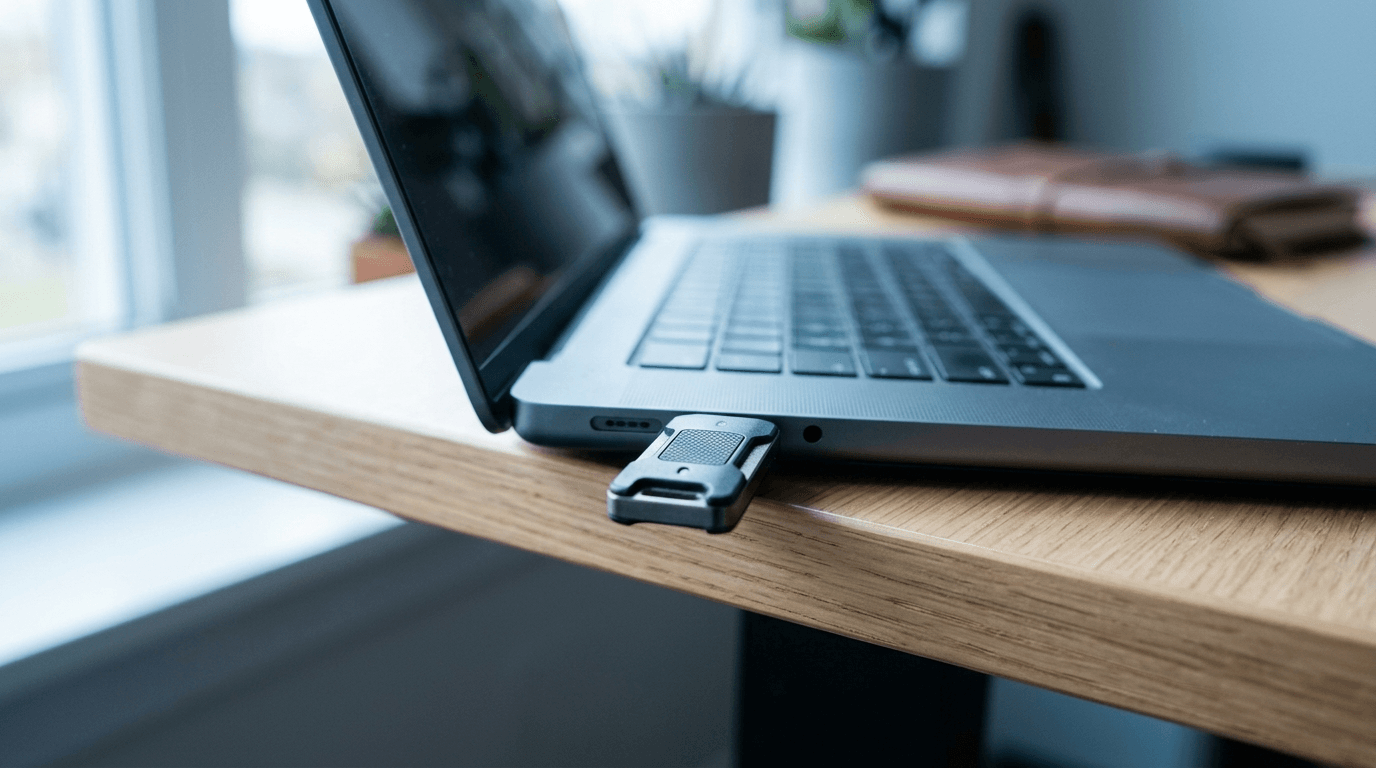
If your team logs in with a password plus a texted code, you have MFA, but not the strongest kind. Passkeys replace the password with a cryptographic key that lives on your phone or a security key, and because that key never leaves the device and only works on the real website, passkeys block the phishing attacks that still slip past text-message codes. For most small businesses in 2026, the right move is to keep multi-factor authentication turned on everywhere and start swapping SMS codes for passkeys or app-based, phishing-resistant methods.
| At a glance | Text-code MFA | Passkeys |
|---|---|---|
| What it is | A code sent after your password | No password at all — a device-held key signs you in |
| Phishing risk | The code can be typed into a fake login page | The key only works on the real site; nothing to hand over |
| Real-time interception kits | Beaten by attacker-in-the-middle pages | Blocked by design |
| How you sign in | Password, then wait for the text | Fingerprint, face, or PIN unlocks the stored key |
| The 2026 move | Keep MFA on everywhere | Swap SMS codes for passkeys or app-based methods first |
By Joel Baum, The NetSys Group. The NetSys Group has delivered managed IT, cybersecurity, and cloud services since 1998. Our engineers hold degrees in electrical and computer engineering and are certified Microsoft and Cisco instructors, serving businesses across NY, NJ, CT, PA, and Southwest Florida.
What is the difference between MFA and passkeys?
MFA asks for a second proof after your password, usually a texted code or an app tap. A passkey gets rid of the password entirely: you unlock a stored key with your fingerprint, face, or a PIN, and the key proves who you are. Every passkey is a form of MFA, but not every MFA method is a passkey.
Why does text-message MFA still get beaten?
Because the code is just another secret a person can be tricked into handing over. Attackers now run realistic fake login pages that sit between your employee and the real service, capturing both the password and the one-time code in real time, then logging in before the code expires. Stolen and reused credentials are the single most common way in. Verizon's 2025 Data Breach Investigations Report found that 22% of breaches started with credential abuse and 16% started with phishing. A texted code does nothing when the employee types it straight into the attacker's page.
What actually makes passkeys phishing-resistant?
Two things. First, a passkey is tied to the exact web domain it was created for, so it simply will not work on a look-alike phishing site. Second, there is no code or secret to read aloud, forward, or paste into the wrong box. The private key stays locked on the device and is released only by your fingerprint or face. That removes the human step attackers rely on. That is the FIDO2/WebAuthn standard at work, and it is why CISA lists passkeys and hardware security keys as phishing-resistant MFA — the approach its guidance calls the gold standard of MFA. This is the same reason business email compromise works so well against small teams, which we covered in how small businesses get hit by business email compromise.
If we roll out passkeys, do we still need MFA policies?
Yes, and you likely have no choice. Microsoft now requires MFA for admin sign-ins across its cloud portals, with the second phase covering command-line and API access rolling out from October 1, 2025. Microsoft's own research shows MFA blocks more than 99.9% of account compromise attacks, so the goal is not to drop MFA. It is to make your MFA the phishing-resistant kind. Passkeys satisfy the requirement and raise the bar at the same time.
How does a 20-person firm roll this out without chaos?
Start small and finish deliberately. A workable order looks like this:
- Inventory where everyone signs in: Microsoft 365 or Google Workspace, your line-of-business apps, your VPN, and your banking.
- Turn on passkey support in Microsoft Entra or Google Workspace, which both support it natively.
- Give hardware security keys to administrators and anyone who can move money or change payroll. These accounts are the real target.
- Enroll the rest of the team on phone-based passkeys, which most people set up in under two minutes.
- Once passkeys are working, retire SMS codes as a login option so attackers can't fall back to the weak method.
- Keep a documented recovery path so a lost phone doesn't lock someone out.
Most small teams can complete this in a couple of weeks alongside normal work. If you'd rather not manage the rollout and recovery edge cases in-house, our managed IT and security services handle the enrollment, the admin key policy, and the help-desk side when someone gets a new phone.
How do you roll out passkeys in Microsoft 365 and Google Workspace?
Both platforms already have passkey support built into their admin tools, so the rollout is a policy change, not a software purchase.
Microsoft 365 (Entra ID):
- In the Microsoft Entra admin center, open Authentication methods, then Policies, and enable Passkey (FIDO2).
- Target a pilot group first rather than all users, and leave self-service setup allowed so people can enroll without opening a ticket.
- Optionally enforce key restrictions if you want only specific security key models allowed for administrators.
- Have each user add a passkey from their Microsoft Security info page, then sign out and back in to confirm it works.
Google Workspace:
- In the Admin console, go to Security, then Authentication, then Passwordless, and turn on Allow users to skip passwords at sign-in — it is off by default, and until then Google keeps asking for the password alongside any passkey.
- Enable it for a pilot organizational unit or group before the whole company.
- Have users create a passkey from their Google Account security settings on the phone or laptop they actually carry.
- Confirm a pilot user can sign in without a password prompt, then widen the rollout.
In both cases, enroll administrators and anyone who can move money first, and keep your existing MFA method as the fallback during enrollment — the same order of operations as the rollout plan above.
Frequently asked questions
Are passkeys safe if an employee loses their phone?
Yes. A stranger who finds the phone still needs the fingerprint, face, or device PIN to use a passkey, so a lost phone is not a lost account. You revoke that device's passkey and the employee enrolls a new one. This is why a documented recovery process matters before you roll passkeys out.
Do passkeys cost extra?
Phone-based passkeys are free and built into Microsoft 365, Google Workspace, Apple, and Android accounts. The only real cost is optional hardware security keys for your highest-risk users, which typically run a modest one-time price per key. That is small next to the cost of a single wire-fraud incident.
Can we use passkeys with Microsoft 365 and Google Workspace?
Yes. Both platforms support passkeys and phishing-resistant sign-in today, and both let administrators require them for sensitive roles. Setup happens in the admin console, and existing MFA stays in place during the transition.
What about employees who aren't tech-savvy?
Passkeys are usually easier than codes, not harder. The employee taps a prompt and uses the same fingerprint or face they already use to unlock the phone. There is no code to find, copy, or worry about mistyping, which cuts help-desk calls over time.
Want a clear picture of where your logins are exposed and which accounts to harden first? Contact The NetSys Group for a complimentary security assessment, and we'll map a passkey rollout that fits your team.
How do we actually roll passkeys out?
The short version: start where passkeys are already native — Microsoft 365 and Google Workspace both support them today — and enroll administrators first, since their accounts are the ones attackers target hardest. Keep an MFA method as the enrollment fallback rather than a permanent parallel path, move department by department instead of flag-day style, and give finance and anyone who can move money hardware security keys as their passkey. Most small businesses can complete this inside a quarter without buying new software.
Related reading
 Cybersecurity
Session Hijacking: The MFA Bypass Hitting SMBs
Read Article Cybersecurity
Microsoft Is Retiring SMS MFA: The Dates That Matter
Read Article Cybersecurity
Zero Trust for Small Business: Where to Start
Read ArticleAlso on this topic: The 2026 SMB Cybersecurity Checklist (Print This) · Small Business Cybersecurity: The Controls That Actually Stop Attacks
Discuss multi-factor authentication deployment for your business.
Tell us about your current systems, the result you need and your timeline. We will discuss the work, responsibilities and pricing before you decide on an engagement.