
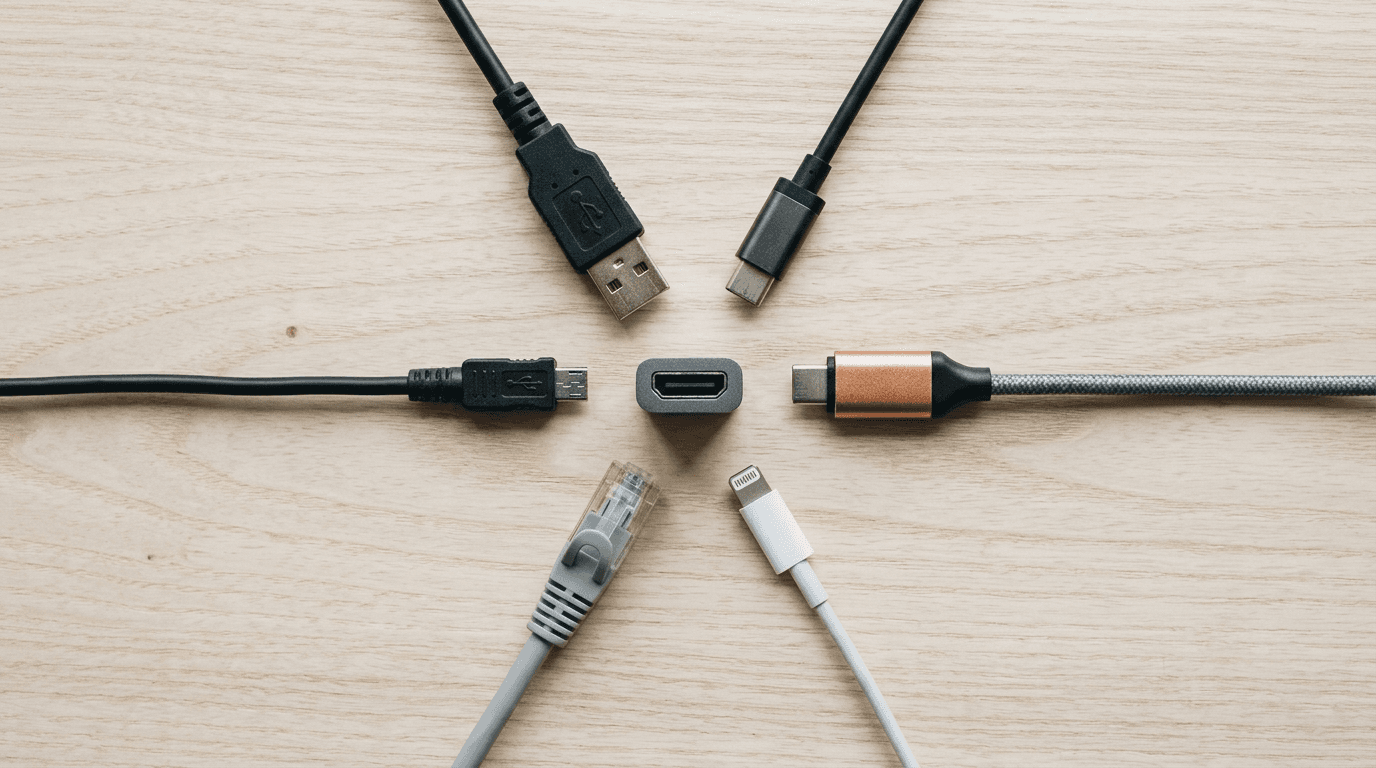
Model Context Protocol (MCP) is an open standard, published by Anthropic in November 2024, that connects AI assistants to other software through one common interface. A system exposes an MCP server, and any assistant that supports MCP can read its data or use its tools, so linking AI to your CRM often becomes configuration rather than custom code. Anthropic created it, Claude and ChatGPT both speak it, and the standard now lives under the Linux Foundation's project umbrella rather than inside one company.
MCP is the reason "AI that knows our own data" stopped being a custom development project. It's an open standard for plugging AI assistants into the systems you already run (your files, your CRM, your ticketing system) without building a one-off integration for each one.
If a vendor has pitched you an AI agent in the last year, MCP is probably underneath it. Here's what it is, what it changes, how it works inside Claude for a business, and the part most pitches leave out.
The short version
- MCP is a standard, not a product. Anthropic published it in November 2024, other vendors adopted it, and it is now governed as an open project with its own maintainers.
- It's already shipping. Microsoft made MCP generally available in Copilot Studio in May 2025; Claude supports it on every plan; ChatGPT Business and Enterprise support custom MCP servers.
- In Claude, MCP is the connector system. Team and Enterprise owners decide which connectors exist, who can use them, and which tools they may call.
- The business case is cost. Connecting AI to your systems moves from custom development to configuration.
- The risk is real. OWASP published an MCP Top 10 in 2025; shadow servers and tool poisoning lead the list.
- Fix permissions before you connect anything. An assistant inherits whatever access you give it.
What is the Model Context Protocol?
MCP is an open standard that lets AI assistants read from and act on outside systems through one common interface. Anthropic published it in November 2024. The announcement describes it as "an open standard for connecting AI assistants to the systems where data lives, including content repositories, business tools, and development environments."
Think of it as a universal adapter between an AI model and your business software.
The problem it solves is spelled out in the original announcement: "even the most sophisticated models are constrained by their isolation from data, trapped behind information silos and legacy systems. Every new data source requires its own custom implementation."
That last sentence is the whole business case. Before MCP, connecting an AI tool to your practice management system meant paying a developer to build and then maintain a bespoke integration. Now the connection is a standard one, and increasingly somebody has already built it.
What is "Anthropic MCP," and who owns the standard now?
"Anthropic MCP" is the same Model Context Protocol. Anthropic designed it, published it as open source in November 2024, and still builds its own products on it, which is why the name stuck. Anthropic does not own the standard any more. The protocol is now run as "Model Context Protocol a Series of LF Projects, LLC," under the Linux Foundation's project umbrella, with a published governance model: lead maintainers, a core maintainer group that meets every two weeks, working groups, and a Specification Enhancement Proposal process for changes. Code and specifications are licensed under Apache 2.0, and seats in the governance groups belong to individuals, not companies.
That matters to a buyer in two ways. First, a connector you build or buy today is not tied to one vendor's roadmap: the project site lists Claude, ChatGPT, Visual Studio Code and Cursor among the clients that speak it, and the current specification is dated July 28, 2026. Second, when people search for "Anthropic MCP" they usually mean one of two things: the protocol itself, or the connectors inside Claude's apps that use it. The section on Claude below covers the second one, because that is where a small business meets MCP first.
Why does this matter for a small business?
Because it changes the price of "AI that actually knows our stuff" from a development project to a configuration job.
Generic AI is easy to buy and hard to value. A chatbot that can write an email is useful to everyone and decisive for nobody. What owners actually want is an assistant that can answer "what did we quote this client last spring," and that requires the assistant to reach into your systems.
MCP is how it reaches. That's the difference between a tool your staff try for two weeks and one they keep using.
Is this shipping, or is it still a preview?
Shipping, and inside the Microsoft stack most SMBs already pay for. MCP went generally available in Microsoft Copilot Studio on May 29, 2025, per Microsoft's own announcement. Microsoft's documentation now covers connecting an agent to an MCP server as a standard task.
That matters more than any vendor's roadmap. When a standard lands in Copilot Studio as a GA feature, it's no longer a bet. It's the plumbing.
It is also standard in the two assistants most small businesses compare with Copilot. In Claude, every plan supports MCP connectors; the next section covers the admin controls on Team and Enterprise. In ChatGPT, custom MCP server connections are available on ChatGPT Business and Enterprise on the web, where only admins and owners can publish them for the workspace, and OpenAI's own apps for SharePoint, Google Drive and Slack are search-only, so any write action needs a custom MCP server. OpenAI now calls its connectors "apps" and bundles them with skills as plugins; the terms changed in 2026, the protocol underneath did not.
Anthropic's original release also shipped reference connectors for systems small businesses actually use, including Google Drive, Slack, GitHub, and Postgres. Early adopters named in the announcement included Block and Apollo.
How does MCP work inside Claude for business?
In Claude, an MCP server shows up as a connector. Claude connects to it from Anthropic's cloud, not from the user's laptop, asks the server what tools it offers, and then calls those tools during a chat, a Research run, a Cowork task or a Claude Code session. Two kinds exist: directory connectors that Anthropic lists after review, and custom connectors that an owner adds by URL.
Which Claude plans support MCP connectors?
All of them, with different controls, as of October 2026:
- Free: one custom connector per user.
- Pro and Max: individuals add their own connectors under Customize, then Connectors, then Add custom connector.
- Team ($20 per seat per month billed annually or $25 monthly, 2 to 150 seats): only Owners and Primary Owners can add a connector to the organization; members then connect to it individually. The plan ships with connectors for Google Drive, Gmail, Google Calendar, GitHub, Microsoft 365 and Slack, plus SSO, domain capture and admin controls.
- Enterprise ($20 per seat per month billed annually with a 20-seat minimum, usage billed at API rates): Owners, Primary Owners and anyone with a custom role that includes "Manage access to Libraries" can add connectors. Admins can approve connectors organization-wide, set per-tool permissions, narrow scopes per role, and read connector activity through audit logs and the Compliance API.
Sources: Anthropic's pricing page and the support article on custom connectors using remote MCP, both read October 17, 2026. If you are choosing between the two business plans, our Claude Team vs Enterprise comparison covers the rest of the differences.
Native connector or custom connector?
A native, or directory, connector is one Anthropic has listed after reviewing it against its listing criteria. A custom connector is any remote MCP server an owner adds by entering its URL, with no review by Anthropic. Both run on the same connector infrastructure, so the technical capability is identical; the difference is who vetted the server. Anthropic's own security documentation is blunt about the limit of that review: it "reviews connectors against its listing criteria before adding them to the Anthropic Directory, but does not security-audit or manage any MCP server." A directory listing tells you the tool descriptions and authentication met Anthropic's rules, not that the vendor behind it handles your data well. That check is still yours.
Rule of thumb: use the directory connector when a mainstream system you already pay for has one (Microsoft 365, Google Workspace, Slack, GitHub). Build or commission a custom connector when the system is niche or homegrown, or when you need tighter scoping than the vendor's connector offers. Our MCP server development service covers the second case, including hosting, authentication and the permission design.
How does an admin enable a remote MCP server in Claude Team or Enterprise?
- Sign in as an Owner or Primary Owner and open Organization settings, then Connectors.
- Choose Add, hover over Custom and select Web.
- Enter the name members will see and the server's remote MCP URL, then Continue.
- Under Authentication choose "Sign in now," "Sign in when needed," or "No sign in." Under OAuth client, the recommended option is to use Claude's published identity; you can also register automatically or supply your own OAuth client. If the server uses an API key instead of OAuth, add it under Request headers. On Team and Enterprise that fixed credential is shared by everyone who uses the connector, so scope it accordingly.
- Click Add. Members then find the connector under Customize, then Connectors, and click Connect, signing in with their own account where OAuth is used.
- To authorize a connector once for the whole organization, open its Configuration tab and set up Managed authorization: connect the identity provider, run the test, choose which roles receive the connector (built-in roles, or custom roles on Enterprise), choose the permission scopes Claude may request, then Save and turn on. Anthropic's article on organization-wide authorization, dated August 24, 2026, says members inherit access at their next sign-in and that deprovisioning someone in the identity provider removes their connector access at the same time.
Two network notes from the same support material: because Claude connects from Anthropic's infrastructure, a server behind your VPN or firewall will not connect unless you allowlist Anthropic's IP addresses, and editing a connector means removing and re-adding it. For Microsoft 365 specifically, a Global Administrator has to grant one-time admin consent to Anthropic's app registrations, permissions are read-only by default, and write tools need both an Entra admin's consent and an owner's switch; our Claude Microsoft 365 connector guide walks through those permissions before rollout.
Permission and approval checklist for any connector
Before a connector goes live for a team, an admin should be able to answer each of these in writing:
- Who hosts the server? The vendor, you, or a third party. Custom servers reach services "that haven't been verified by Anthropic," in Anthropic's words.
- What does it ask for? List the OAuth scopes, or the reach of any fixed API key. A key that can delete records is a key everyone with the connector can delete records with.
- Which tools read, and which write? Start read-only. Disable write-capable tools in the Search and tools menu until a workflow needs them.
- What happens in Research and Cowork? Research can invoke connector tools automatically without further approval, so write tools should be off before anyone uses it. In Cowork, keep Manual approval for anything that acts on outside systems, and remember that Cowork's network egress limits do not apply to MCP calls.
- Who may click "Allow always"? Anthropic's guidance is to do it only for a server and tool you trust to run unsupervised. Make that a policy line, not a personal choice.
- Which roles get it? Pilot with one team before going organization-wide; with managed authorization, narrow the scopes per role.
- Can tool behavior change under you? A server's developer can alter its tools without notice, so schedule a re-review, and disable interactive tool calls in Organization settings if you do not need them.
- How do you revoke and audit? Users disconnect under Customize, then Connectors; owners remove connectors organization-wide; on Enterprise the audit logs and Compliance API show what the connector did.
Where to go deeper: our guide to reviewing a Claude MCP connector turns this list into a full review, with what to collect from the vendor and what a failing answer looks like.
What can you actually do with it?
Concrete examples, not hypotheticals:
- Answer questions across systems. "Pull this client's open invoices and their last three support tickets." Two systems, one question, no export to spreadsheet.
- Draft with real context. A proposal that references the actual scope and pricing from the last engagement, because the assistant can read the last engagement.
- Trigger work, not just describe it. Create the ticket, update the CRM record, file the document in the right library, rather than telling a person to go do it.
- Search what search can't reach. Line-of-business applications with terrible built-in search become answerable in plain language.
The pattern that pays off is narrow and repetitive. One workflow, done fifty times a week, by people whose time is expensive. That's where we see automation earn its cost, and it's the same finding we described in AI automation for professional services firms.
MCP use cases by team
| Team | What the assistant does over MCP | Access it needs |
|---|---|---|
| Finance | Lists a client's open invoices and drafts the reminder for someone to approve | Read access to the accounting system; drafts only |
| Client service | Answers "what did we quote this client last spring" from the CRM and the file store | Read access to CRM records and one document library |
| Operations | Turns an emailed request into a ticket and updates the CRM record | Write access to one ticket queue and one CRM object |
| Sales | Drafts a proposal from the scope and pricing of the last engagement | Read access to past proposals |
| Management | Summarizes open tickets, overdue invoices and pipeline changes each morning | Read-only access to each system in the summary |
Each row is one workflow, and that is how we scope them: start read-only, give the assistant its own identity with the narrowest access that works, and add write access only where the action is low-risk or a person approves it. When a workflow needs an assistant that plans and acts across several systems, that is an agent; our AI agent development service designs the connections, permissions and approval steps.
What's the catch?
You're handing an AI model credentials and permission to act. That's a real security change, and the security community has already catalogued how it goes wrong.
OWASP published an MCP Top 10 in 2025, a risk list in the same format as its well-known web application list. Three entries deserve an owner's attention:
- MCP09: Shadow MCP Servers. Staff connect an AI assistant to company systems without telling anyone. Same shape as the shadow IT problem you already have, with broader reach.
- MCP03: Tool Poisoning. A malicious or compromised connector feeds the model instructions it treats as legitimate, and the model acts on them.
- MCP01: Token Mismanagement and Secret Exposure. The credentials that let the AI reach your systems get stored badly, and now they're an easier target than the systems themselves.
Note that OWASP labels the list a beta, with a further release planned. That tells you the risk set is still being mapped. It's an argument for governing this deliberately, not for waiting until the list is finished.
The failure mode we expect to see most in SMBs is the first one. An employee wires a personal AI tool into the company file store because it makes their week easier, and nobody finds out until something leaks. Anthropic's own warning to users is the same: malicious servers may hide prompt injections, and a server's tools can change after you approved them.
If you haven't set a rule yet, our AI usage policy guide and our post on preventing shadow AI data leaks are the place to start.
What should you do about it right now?
Four things, in order.
Decide who's allowed to connect what. Before anyone builds anything. A one-page rule stating which AI tools are approved and who authorizes a new connection prevents the shadow-server problem outright. On Claude Team and Enterprise the platform enforces half of it for you, since only Owners can add connectors to the organization.
Fix permissions first. An AI assistant inherits the access you give it. If your file permissions are loose, MCP doesn't create that problem, it just makes it visible fast. Same lesson as SharePoint oversharing and Copilot.
Start with read-only. Let the assistant look before it touches. Most of the value in the first ninety days is retrieval, and read-only access has a fraction of the blast radius.
Pick one workflow. Not a platform, a workflow. Measure the hours it takes back. Then decide whether to widen it.
Do you need to build anything?
Often, no. If your systems are mainstream, a connector may already exist, and the work is configuration and governance rather than development. That's the cheap version, and it's worth checking before anyone quotes you a build.
Custom work earns its keep when the system holding your important data is niche or homegrown: the industry-specific application your whole operation runs on, with no published connector. That's when we build one. For Claude it is a remote MCP server we host and scope for you, which is the MCP development work; for Microsoft 365 Copilot it is the same discipline as our Microsoft Graph connector and custom AI application projects. In one published engagement we built scoped Microsoft Graph connectors: each reaches only the data its workflow needs, and every permission is documented and reviewable in Entra ID.
If you're weighing a Copilot-based agent against something purpose-built, we compared the two in Copilot agents vs custom AI agents.
Frequently asked questions
Is MCP a Microsoft product or an Anthropic product?
Neither, and that's the point. Anthropic published it as an open standard in November 2024, the project is now governed under LF Projects, LLC with its own maintainers, and other vendors adopted it, including Microsoft, which shipped MCP support in Copilot Studio as a generally available feature, and OpenAI, which supports custom MCP servers in ChatGPT Business and Enterprise. An open standard means you're less likely to be locked into one AI vendor's connectors.
What is a remote MCP server?
A server that you or a vendor hosts on the internet, reachable over HTTPS, that an assistant connects to from the cloud. Claude connects to remote servers from Anthropic's infrastructure using the protocol's Streamable HTTP transport, with OAuth 2.0 sign-in or a fixed credential, and that is what a "custom connector" in Claude is. A local MCP server instead runs on the user's own computer, for example as a desktop extension; local servers do not run in Claude's cloud sessions, and an organization can block them on managed devices.
Which Claude plans let a business use MCP connectors?
Team and Enterprise are the business plans, and both include the directory connectors and custom connectors, with Owners controlling what is added. Pro and Max users can add their own connectors, and Free accounts get one custom connector, but none of those give an administrator any say over what an employee connects, which is the reason to move company work into a Team or Enterprise workspace.
Can an admin stop staff from adding their own connectors in Claude?
Inside a Team or Enterprise workspace, yes by design: members can only connect to connectors an Owner has added. In Claude Code, managed settings go further, with an allowlist and denylist for connectors and a switch that turns off claude.ai connectors entirely, and administrators can deploy approved servers to every developer. On managed desktops, a device policy can disable locally configured MCP servers and desktop extensions. What no setting controls is an employee's personal Claude account on a personal device, which is a policy and awareness problem rather than a configuration one.
Do we need MCP if we already have Microsoft 365 Copilot?
Not for what Copilot already does. Copilot reads your Microsoft 365 content out of the box. MCP matters when you want an assistant to reach systems outside that tenant: your CRM, your practice management software, your ERP. If everything important already lives in Microsoft 365, you have less to gain here.
Does connecting AI to our systems mean our data trains someone's model?
That depends entirely on the AI service you connect, not on MCP. MCP is a transport standard; it says nothing about training. Read the terms of the specific assistant and tier you're using, and confirm it in writing before connecting anything client-related. Anthropic says it does not train on commercial Team and Enterprise content by default and excludes raw connector content even from feedback data, and OpenAI says the same of ChatGPT Business and Enterprise data accessed through apps, but verify the tier you actually bought rather than assume.
How do we know if employees are already doing this?
You probably don't, which is the problem. Consumer AI tools with connector support are a browser sign-in away, and nothing in a default small-business setup blocks or logs it. Conditional access policies, application controls, and reviewing which third-party applications have been granted access to your tenant are how you get visibility. For Claude's Microsoft 365 connector, the Entra admin consent step is itself a checkpoint: nothing connects until a Global Administrator approves the app registrations.
Is this worth our attention at 20 people, or is it an enterprise thing?
Worth your attention, because the setup cost is low and small teams feel the time savings faster. A 20-person firm where three people spend an hour a day hunting for information in four systems has a clearer case than a large company with a data warehouse. The governance still has to happen first.
Where this goes
Agents that read and act across your systems are becoming the normal way business software works, and the standard underneath them is now settled enough to build on. The businesses that get value from it will be the ones that fixed their permissions and set their rules before they turned it on.
We help businesses in New York City, Long Island, Westchester, the Hudson Valley, North Jersey and Fairfield County, and remote-first everywhere else, figure out where AI belongs in their operation and where it doesn't. If you want a straight answer about which of your systems is worth connecting, and whether a directory connector or a custom MCP server is the right route, discuss an MCP integration with an engineer.
Related reading
 AI Automation
Microsoft Copilot Studio for Small Business: A Guide
Read Article FAQ
FAQAI Agents for Small Business: 8 Questions Owners Ask
Read Article AI Automation
Copilot in Excel: What It Does for a Small Business
Read ArticleAlso on this topic: AI Agent Identity: Stop Letting Bots Use Staff Logins · Claude Projects vs Skills: How Teams Should Organize Work
Discuss mcp development for your business.
Tell us about your current systems, the result you need and your timeline. We will discuss the work, responsibilities and pricing before you decide on an engagement.