
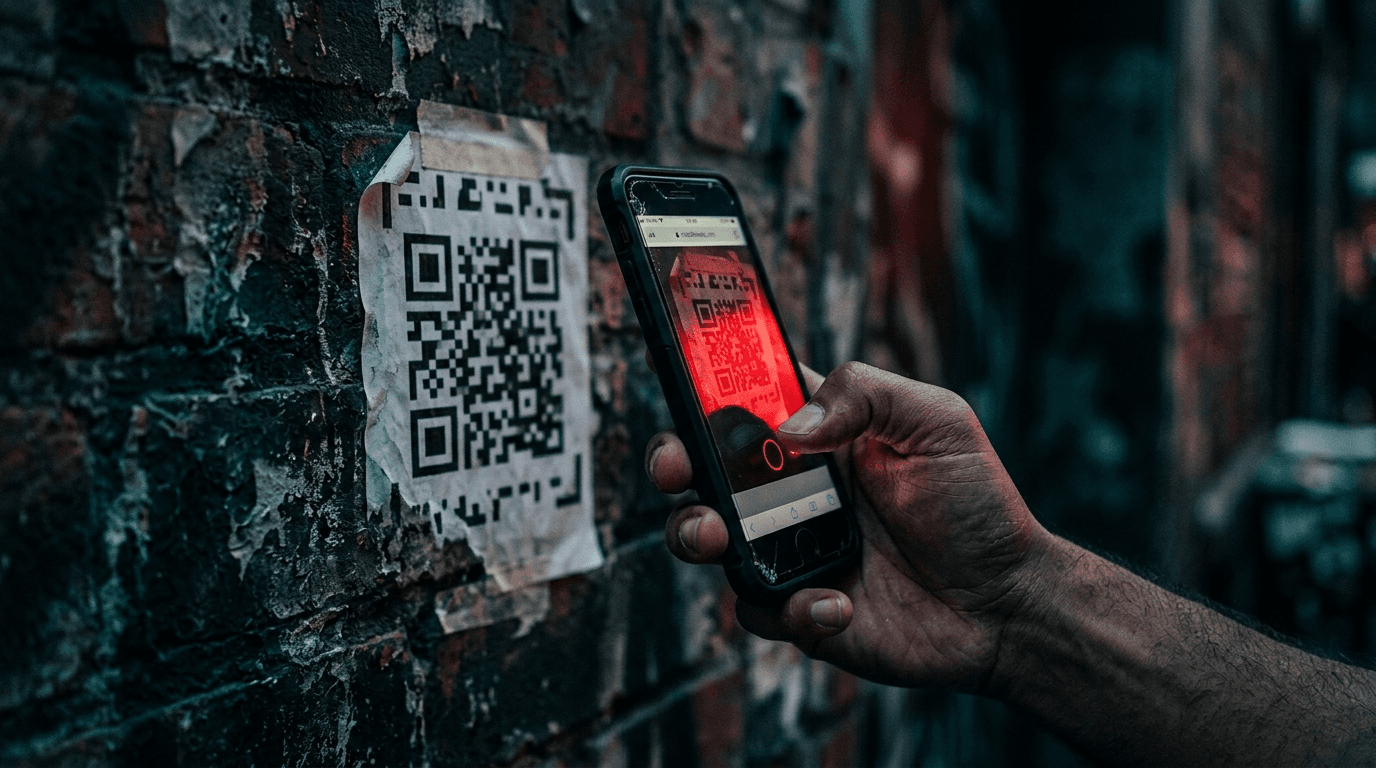
Short answer: quishing is phishing that hides its trap inside a QR code. It works because your email security reads the code as a harmless image, while the phone in your employee's pocket reads it as a link and opens a fake login page. Attackers moved to QR codes because it slips past the filters most businesses rely on. The fix is a mix of tuned mail security, a little training, and one rule everyone can remember.
What is quishing, exactly?
Quishing (QR + phishing) is an attack that swaps the usual malicious link for a QR code image. The victim scans it with a phone, lands on a page that looks like Microsoft 365 or a bank, and types in a password the attacker now owns. The code moves the click from a monitored work computer to a personal phone, where your protections usually don't reach.
Why QR codes slip past the tools you already pay for
Most email filters scan text and links. A QR code is neither, it's a picture. So a message that would be flagged for a bad URL sails through when that same URL is drawn as a black-and-white square. The volume shift has been sharp: security firm Keepnet tracked QR-based phishing emails climbing from about 47,000 in August 2025 to more than 249,000 that November, roughly a 430% jump in three months. And people are bad at spotting them: in the same research, only about 36% of QR phishing attempts were correctly identified and reported by the people who received them.
There's a second reason attackers like the format. The scan happens on a phone that often has no corporate filtering, no managed browser, and a small screen that hides the real web address. Your carefully configured defenses on the laptop never get a vote.
How the scam reaches your team
Quishing shows up in a few predictable shapes. Knowing them is half the defense.
- The fake IT notice. "Your Microsoft password expires today, scan to keep your account active." The code leads to a convincing login clone.
- The payroll or HR bait. A QR code promising a benefits update or a bonus form, aimed at harvesting credentials from finance and HR staff.
- The physical sticker. A printed code slapped over a legitimate one on a parking meter, a restaurant table, or a delivery notice. Owners have paid real money cleaning these up.
- The document attachment. A PDF that looks like an invoice or a shared file, with the QR code inside the document so it survives the mail scan entirely.
The through-line is urgency plus a trusted-looking sender. That's the same emotional lever behind business email compromise, just delivered in a new wrapper.
What actually stops it
You don't need a new security category. You need a few controls set up correctly and one habit trained into your people.
- Phishing-resistant MFA. If a stolen password can't complete a login on its own, a harvested credential is far less useful. This is where passkeys beat basic MFA for the accounts that matter.
- Mail security that inspects images and attachments, not just links, so QR codes inside a message or a PDF get analyzed instead of waved through.
- A managed mobile posture, so work accounts on personal phones still route through protection and can be cut off fast if a device is compromised.
- The one rule: never scan a code to log in. Legitimate password and account prompts don't arrive as a QR code you scan from an email. Teach people to open the app or type the known web address directly.
- Fast reporting. A one-click "report suspicious" button beats a policy nobody remembers. The goal is to shrink the window between the first scan and your response.
These sit inside the same layered approach that stops the rest of the phishing family, which we cover in the controls that actually stop attacks.
By Joel Baum for The NetSys Group, which has delivered managed IT, cybersecurity, and cloud services since 1998. Our engineers hold degrees in electrical and computer engineering and are certified Microsoft and Cisco instructors, serving businesses across NY, NJ, CT, PA, and Southwest Florida.
Frequently asked questions
Is it safe to scan any QR code at all?
Codes on trusted physical items are usually fine, but treat any code that asks you to log in or pay as suspect. The danger isn't the scan itself, it's the page it opens. Before entering a password, check the web address, and when in doubt, reach the site by typing it yourself.
Can my email filter block quishing?
Standard link filtering can't, because a QR code is an image, not a URL. Mail security that renders and inspects images and attachments can catch many attempts, but no filter is perfect. That's why user habits and phishing-resistant MFA stay part of the defense.
Who in my company is most at risk?
Anyone with a phone, but executives and finance staff are prime targets because their credentials unlock money and sensitive data. Attackers research who approves payments and aim there. Extra scrutiny and stronger authentication for those roles pays off.
What should someone do right after scanning a bad code?
Stop before entering anything. If they already typed a password, change it immediately, sign out of active sessions, and tell IT so the account can be locked and checked. Speed matters, since attackers move within hours of getting a credential.
Want to know whether your current email security would catch a QR code attack? Talk to The NetSys Group about a complimentary risk assessment, and we'll show you where the gaps are before an attacker finds them.
Related reading
 Cybersecurity
Microsoft 365 Direct Send Abuse: A Phishing Blind Spot
Read Article Cybersecurity
Lookalike Domains: How Scammers Impersonate Your Business
Read Article Cybersecurity
What Is Spear Phishing? How Small Businesses Get Targeted
Read ArticleAlso on this topic: AI Phishing Attacks: Why the Typos Are Gone and Clicks Are Up · Business Email Compromise: How Small Businesses Get Hit
Discuss security awareness & phishing training for your business.
Tell us about your current systems, the result you need and your timeline. We will discuss the work, responsibilities and pricing before you decide on an engagement.