
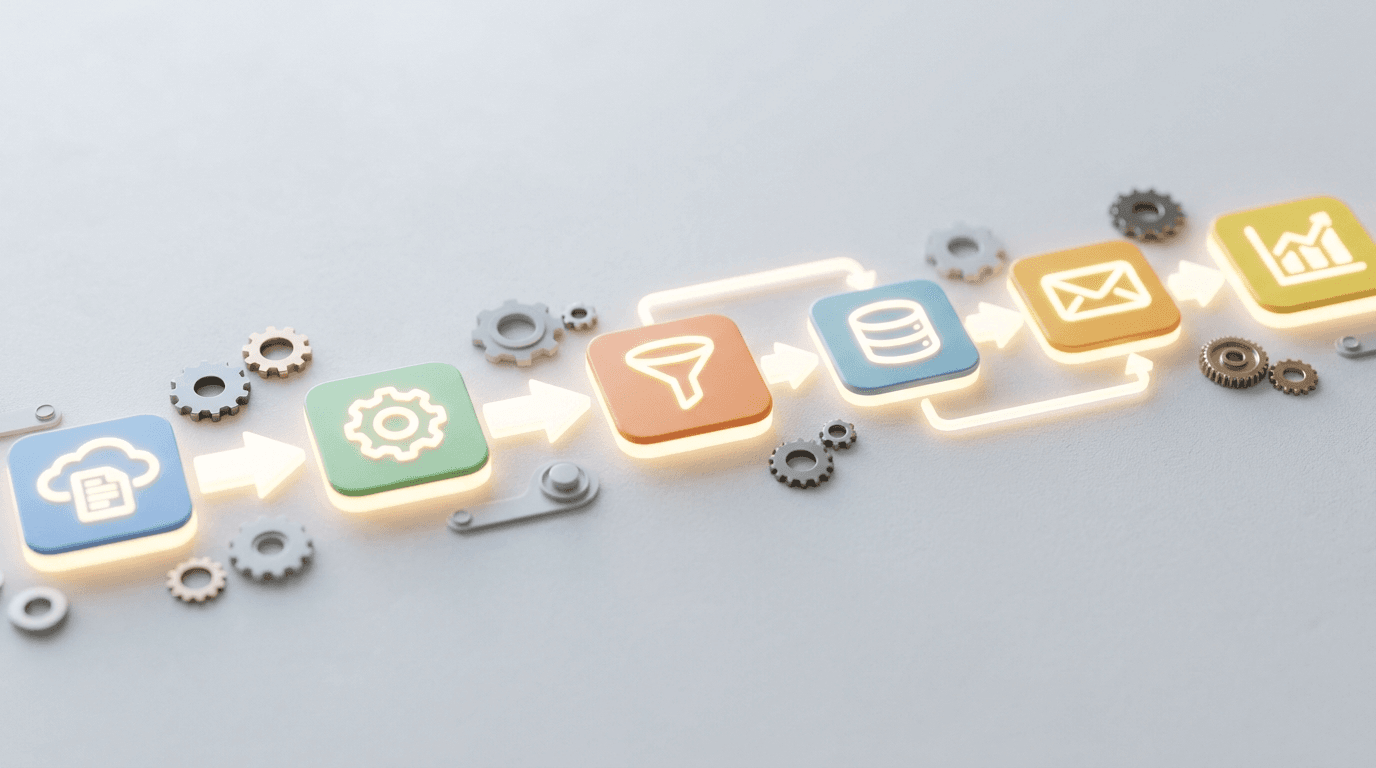
AI workflow automation is automation across your business apps with an AI step wherever a fixed rule cannot decide. A trigger in one system (a web form, an incoming email, an invoice, a signed contract) starts a sequence of actions in the others, and the AI step reads, extracts, classifies, summarizes or drafts along the way, so the workflow can handle messy real-world input instead of stopping for a person. It is built on connector platforms such as Microsoft Power Automate, Zapier and Make, on features inside ChatGPT and Claude such as workspace agents and Claude Cowork, or as a custom build on the OpenAI or Claude API, and in a small business it pays back fastest on repetitive, high-volume work with a human approval step wherever money or a customer relationship is on the line.
Most small businesses already own a dozen apps that don't talk to each other. Someone copies a new lead from the website into the CRM, then into the email tool, then into a spreadsheet, by hand, every day. Here is what AI workflow automation means in plain terms, what to automate first, which tools fit which job, what it costs, and how to start without creating a mess.
What is AI workflow automation?
Think of it in two parts. The first is plumbing: tools like Microsoft Power Automate, Zapier, and Make connect your apps so an event in one triggers an action in another. A new lead lands, and a record is created, an email goes out, and a task appears for the right person. The second part is the AI layer sitting inside that flow, reading a message, summarizing a document, sorting a request, or drafting a reply, so the automation can handle judgment steps a simple rule never could.
Plain automation follows fixed rules. Add AI and the workflow can deal with input that does not fit a template: an email written three different ways, an invoice in an odd layout, a customer question that needs routing. The AI step is still one step in a sequence you designed. That is the difference between AI workflow automation and an AI agent, covered next.
What is the difference between AI workflow automation and AI agents?
In a workflow, you decide the steps in advance and the AI fills in judgment at specific points: step three reads the email and picks a category, step five drafts the reply. In an agent workflow, the AI is given a goal and a set of tools and decides which steps to take, within limits you set: look up the order, check the shipping status, draft the response, ask a person before issuing a refund. Agents handle more variety and are harder to test, so most small businesses start with fixed workflows and add an agent where the branching is too wide to map. Our AI agents FAQ covers when an agent is worth it, and custom GPT vs AI agent explains what a company should build inside ChatGPT. Whichever you build, approvals, logging and someone watching the failure alerts matter more than the label; see AI agent monitoring and monthly maintenance.
What should a small business automate first?
Start where the work is repetitive, rule-heavy, and high-volume, because that is where automation pays back fastest. In rough order of payback for a typical small business:
- Lead intake and first reply. A website form creates a CRM contact, notifies sales, and sends a personalized first reply in minutes instead of hours. The AI step drafts the reply from the form details, and a person approves it until the drafts prove reliable.
- Sales follow-up. A sequence that keeps going on schedule, in your voice, with the AI step adapting each message to what the prospect last said. See AI sales follow-up automation.
- Invoice and document handling. AI reads an incoming invoice, pulls the key fields, and files it for approval, which pairs with AI invoice processing on the payables side and AI for accounts receivable on collections.
- Shared inbox triage. Incoming emails get summarized, tagged by urgency, and routed to the right person automatically, with anything the model is unsure about sent to a human queue. See AI email management.
- Meeting follow-up. Recorded calls become summaries and assigned tasks in your task tool. See AI meeting assistants.
- Onboarding. A signed contract kicks off account setup, welcome emails, and the internal checklist without a manager chasing each step.
- Scheduling and reminders. Booking requests, confirmations and reschedules handled end to end. See AI appointment scheduling.
- Reporting. Numbers are pulled from your tools into one summary on a schedule, so nobody rebuilds the same spreadsheet every Monday.
Pick one, write down how long it takes today, and build that one first. Our guide to measuring AI ROI has the baseline worksheet.
Which tools do you use for AI workflow automation?
Four families, and most small businesses end up using two of them. The choice follows where your data already lives and how much judgment the workflow needs.
| Tool | Fits when | Where the AI step runs | Watch for |
|---|---|---|---|
| Microsoft Power Automate | Your apps are Microsoft 365 (Outlook, SharePoint, Teams) and you want the automation under the same admin controls as the rest of the tenant | An AI step inside the flow, or an agent built in Copilot Studio that the flow hands work to | Flows that belong to one person's account and break when that person leaves; connector licensing |
| Zapier or Make | Your apps are a mix of SaaS tools outside Microsoft (CRM, forms, e-signature, accounting) and you want them connected quickly | A step that sends the item to an AI model and gets structured output back | Per-task pricing at volume; company data passing through a third party; who owns the account |
| ChatGPT and Claude workflows | The task needs judgment more than plumbing, volume is modest, and a person will stay in the loop | Inside the product: ChatGPT Projects, ChatGPT Work and workspace agents; Claude Projects, Skills and Claude Cowork | Workspace agents and admin controls need the business plans; connected apps reach whatever the user can already see; write actions need approval settings |
| Custom build on the API | The workflow must live inside your own system, with your own logging, approvals and data handling, or run at a volume where per-task pricing hurts | Your code calls the OpenAI or Claude API; MCP servers connect it to your systems | You own the monitoring and updates; budget for maintenance from day one |
Power Automate, Zapier or Make. These are the plumbing. Our comparison of Zapier vs Make vs Power Automate covers pricing and fit in detail. The short version: Microsoft 365 shops start with Power Automate, and everyone else starts with whichever of Zapier and Make already connects to their CRM and accounting tools. For the Microsoft route, Copilot Studio is where the agent part gets built.
ChatGPT workflows. Two kinds. The first is human-run: a person opens a ChatGPT Project that holds the instructions and reference files for a task (40 files per project on ChatGPT Business and Enterprise as of October 2026) and works through it the same way every time. Those are the repeatable, reviewed workflows collected in ChatGPT workflows for business teams. The second is automated inside ChatGPT: ChatGPT Work handles longer multi-step tasks across connected apps and files and produces finished documents and spreadsheets, and workspace agents on ChatGPT Business (formerly ChatGPT Team) and Enterprise combine a chosen model with tools, apps, custom MCP servers, skills and files, run on a schedule or from a Slack or API trigger, and have write actions set to "Always ask" by default, per OpenAI's workspace agents article. For anyone still planning around custom GPTs: OpenAI has scheduled them to retire on December 11, 2026 in favor of plugins and workspace agents, so new builds should start there.
Claude workflows. The same two kinds. Claude Projects hold the instructions and knowledge for a repeatable task, and Skills package a procedure that Claude applies when it recognizes the job; our guide to Claude Projects vs Skills explains how to split them. For automation, Claude Cowork works through multi-step tasks, reads and writes files in folders you connect, runs scheduled tasks in the cloud, and asks before acting by default (its Manual approval mode), per Anthropic's Cowork guide. MCP connectors link it to your business systems, and on Claude Team only owners can add a custom connector. Setup and the security settings are in Claude Cowork for business.
Custom builds. When the workflow has to live inside your own application or run at volume, we build it on the API: OpenAI's Agents SDK and Responses API, or the Claude API with MCP servers for the systems it touches. That is the route behind the custom apps and automated reporting roundups in our Claude case study, and it is what custom AI applications and OpenAI integration services cover.
How much time does AI workflow automation save?
Only the amount you can measure on your own tasks. Vendor studies report hours saved per week, but the numbers that matter are yours: how many items a week, how many minutes each, and how many of them the automation finishes without a person. A lead-intake workflow that turns a 12-minute manual task into a 2-minute review saves a small team most of a working day a week at 40 leads; a workflow that saves 30 minutes a week is rarely worth building. The baseline, pilot and worksheet in our guide to measuring AI ROI is how to get that number before you build.
What does it cost to get going?
Less than most owners expect for the first workflow, and more than they expect to keep ten of them running. There are three cost lines. Platform subscriptions: the connector platforms have plans that start small and scale with usage, and the business AI plans are priced per seat (ChatGPT Business and Claude Team both list a standard seat at $20 a month billed annually or $25 billed monthly, as of October 2026, per OpenAI and Anthropic). Model usage: API calls and credits, which scale with volume. Design and build: mapping the process, deciding what the AI may do on its own, testing with real data, and setting up the alerts. NetSys quotes each workflow as a fixed project from a one-page design after a scoping call, with an estimate of the monthly running costs; we do not publish a price list.
What moves the quote: how many systems the workflow reads or writes, whether they have a connector or an API, how clean the data is, how many decisions the AI step makes and how costly a wrong one is, whether an approval step is needed, and the volume. One system, clean data and a reversible action is a small job. Four systems, free-text input and an irreversible action (a payment, a client email) is not.
How do you keep automation from creating new risks?
Three rules. First, put a human in the loop wherever money or a customer relationship is on the line, so the AI drafts and a person approves; in ChatGPT workspace agents that is the "Always ask" default for write actions, in Claude Cowork it is Manual mode, and in Power Automate, Zapier or Make it is an approval step you add. Second, give each workflow the least access it needs: a service account with its own permissions rather than the owner's login, and connected apps limited to the sites and folders the task uses, because an app reaches whatever the signed-in user can already see. Third, make it fail loudly: a failed run should alert a named owner, not sit silently until a customer notices. That governance question is the same one behind safe AI adoption generally, and NIST's AI Risk Management Framework is the reference for writing the rules down.
By Jamie Baum for The NetSys Group, which has delivered managed IT, cybersecurity and cloud services from Brooklyn since 1998. Our engineers hold degrees in electrical and computer engineering. We work on-site across New York City, Long Island, Westchester, the Hudson Valley, North Jersey and Fairfield County, CT, and remote-first everywhere else.
Frequently asked questions
What are examples of AI workflow automation?
A web form that becomes a CRM record and a drafted first reply; an inbox where every message is summarized, tagged and routed; invoices read and filed for approval; a signed contract that starts onboarding; recorded meetings turned into assigned tasks; a Monday report assembled from three systems. Each is a trigger, a few fixed steps, and one or two AI steps for the parts that need reading or writing.
Can you automate workflows with ChatGPT?
Yes, on ChatGPT Business and Enterprise. ChatGPT Work handles longer multi-step tasks across connected apps and files, per OpenAI's ChatGPT Work article; workspace agents run on a schedule or from a Slack or API trigger with write actions set to ask by default; and @ChatGPT in Slack and Microsoft Teams has been available to Business workspaces since September 29, 2026 and uses workspace credits. For repeatable human-run tasks, a Project with instructions and files is often enough; our ChatGPT workflow examples cover those.
Do I need developers to automate workflows?
Not for most of it. Power Automate, Zapier and Make are built for no-code and low-code use, and the agents inside ChatGPT and Claude need no code at all, so a well-designed workflow can run without custom software. You do want someone who understands both the tools and your process for anything that touches billing, contracts, or customer data.
Is no-code AI workflow automation good enough for a business?
For most first workflows, yes. You outgrow no-code when the workflow has to live inside your own application, when volume makes per-task pricing expensive, or when you need logging and approvals the platform does not offer. Then it becomes a custom build, usually a small one.
Will automation replace my staff?
Usually it replaces tasks, not people. The point is to take the repetitive copy-paste work off your team so they spend time on judgment, relationships, and growth. Small businesses more often use the freed-up hours to do more without hiring than to cut headcount.
Is my data safe in these tools?
It can be, if you set it up deliberately. Use business-tier accounts, which do not train on your data by default, limit which apps and data each workflow can reach, and keep sensitive steps inside platforms you already trust, such as Microsoft 365. The risk comes from wiring personal or unvetted apps into a business process without oversight. Our AI data privacy FAQ covers the training and retention rules plan by plan.
How do I know it's working?
Pick one process, measure the hours it takes today, automate it, and compare. Track time saved, errors avoided and the share of items that still needed a person over the first month. If a workflow isn't clearly paying back, simplify it or drop it. The goal is fewer manual steps, not more dashboards to babysit.
What NetSys does
NetSys designs each workflow with approvals and failure alerts, builds it on Power Automate, Zapier or Make, inside ChatGPT or Claude, or as a custom build on the API, and monitors it after launch under a month-to-month agreement; see AI workflow automation for the service and managed AI services for the ongoing administration. Scope your first automation and we will map your busiest manual processes and show you which ones pay back fastest.
Related reading
 AI Automation
Zapier vs Make vs Power Automate: Which for SMBs?
Read Article AI Automation
AI for HR Admin: What Small Businesses Can Automate
Read Article AI Automation
AI Automation for Professional Services Firms
Read ArticleAlso on this topic: AI Automation for E-Commerce: Where It Pays Off · How Is Agentic AI Different From Traditional Automation?
Discuss ai workflow automation for your business.
Tell us about your current systems, the result you need and your timeline. We will discuss the work, responsibilities and pricing before you decide on an engagement.